Apps for your Stackchan robot
A pet for kids, a focus timer for your desk, and a dashboard of every sensor for the curious: apps for M5Stack's Stackchan robot. You pick the apps your robot gets and approve each one. Proofs of concept, vibe coded, not reviewed by humans yet (security).
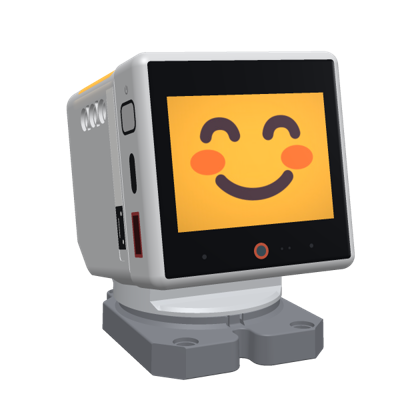
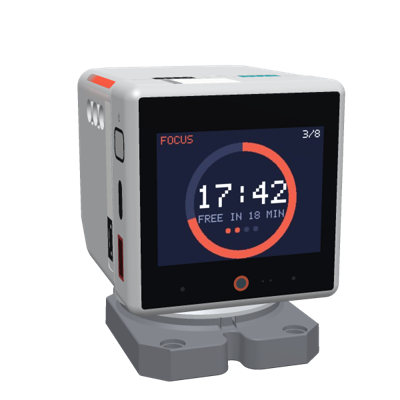
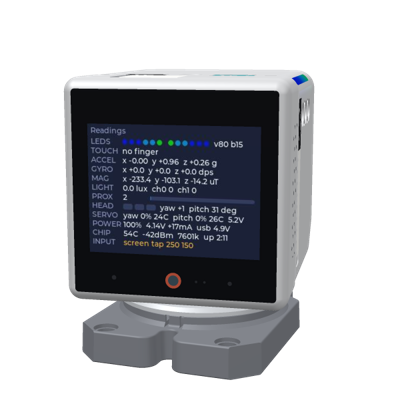
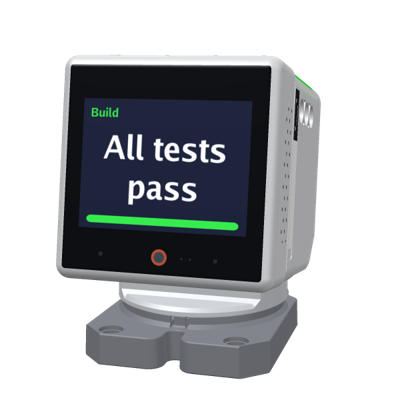
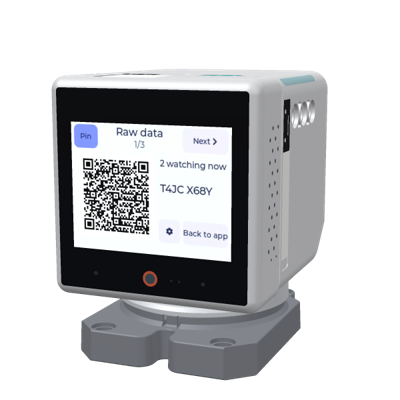
The robot rendered in 3D from M5Stack's StackChan structure files (MIT), with real screens from it. Turn it round and see its sensors on s.i41.eu/s3d.
What you need: the robot from M5Stack, a computer with Chrome or Edge, a USB-C cable and 2.4 GHz Wi-Fi.
m.i41.eustart here
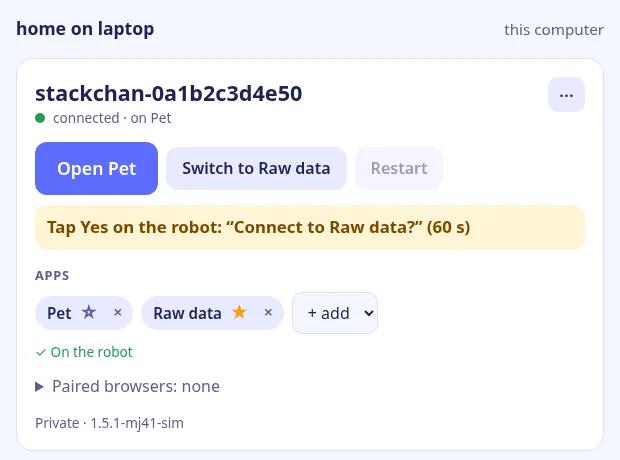
The Stackchan manager online: sign in with GitHub or Google, pick the apps for your robot and set it up with one click over USB (Chrome or Edge): the official firmware, your Wi-Fi and a token of its own for every app you approve.
Then it keeps a live line to your robots: switch their app, restart them, add or remove apps, see who is paired. One sign-in works for every app.
Rather keep it at home? The same manager runs on a computer of your own, with no sign-in and no cloud: the home manager. All the ways to set up a robot: SETUP.
How your robot connects
USB, once
Plug the robot into a computer with Chrome or Edge. The firmware, your Wi-Fi and the apps you pick go to the robot over the cable; the setup page sends the Wi-Fi password only to the robot, never to a server (you trust the page the manager sends: security).
A manager, or none
A manager is the robot's supervisor: from its page you switch the robot's app, add and remove apps and restart it. You choose at setup:
The robot aloneno manager; its apps change only over USB.Your home manageron a computer at home: no sign-in, no cloud.m.i41.euonline, from anywhere; it can also show the robots of your home manager.The app switcher on the robot works with any of them: swipe up, QR, then Next and Connect.
QR to pair a phone
On the robot, swipe up and tap QR. Scan the code, or type its 8 characters, and that browser is paired with the robot for the app it is on. The manager lists the paired browsers, and removes any of them.
Sign in, then approve your robots
On m.i41.eu you sign in with GitHub or Google: that says who you are. Then you approve which apps each of your robots gets, and each app gets a token for just that robot. Signed in, the apps show your own robots with no pairing.
Apps
Each app has a host of its own under q41.eu, so no app can read another's data in your browser. On the robot, swipe up for the app switcher; on a phone, scan the robot's QR code to pair.
Pet
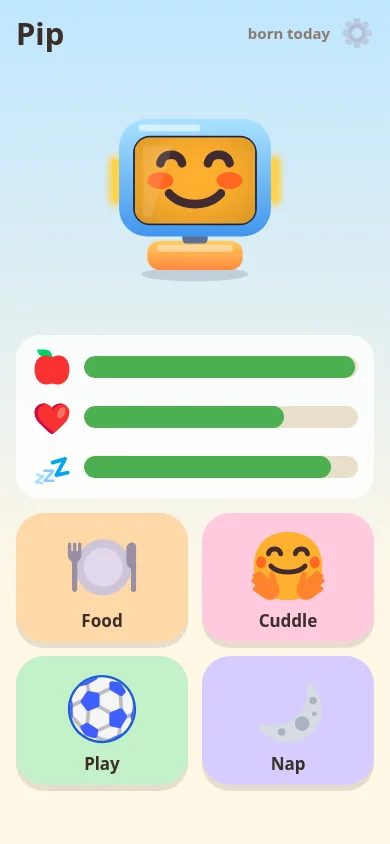
A Tamagotchi for kids, on the robot and on a phone: feed it, pet it, play with it, put it to bed, or hold an NFC card to it to feed it. It shows how it feels, and never suffers while the kid sleeps or is away.
Focus
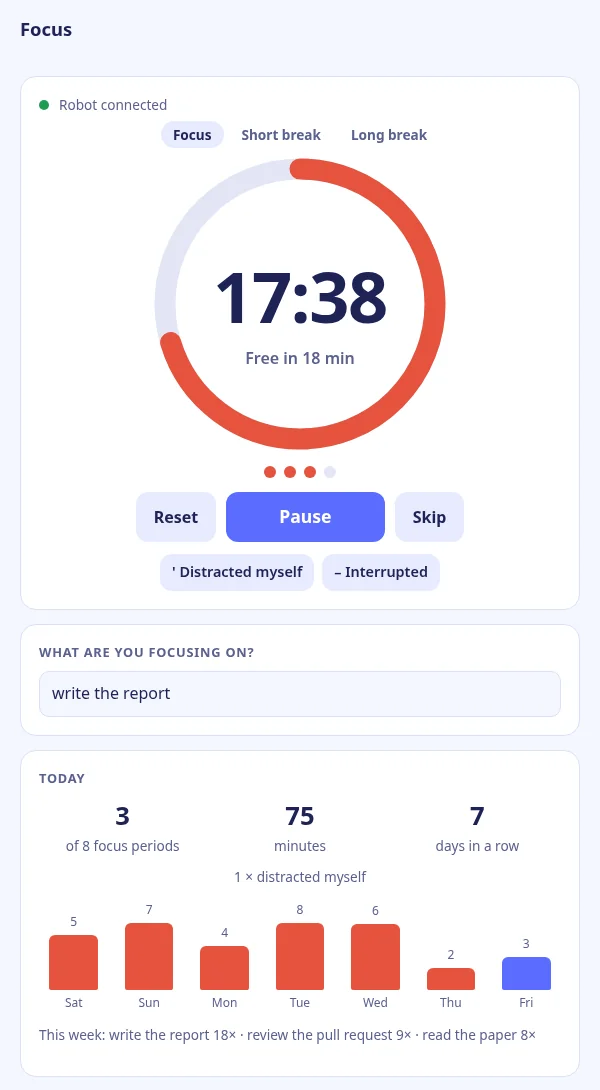
A focus timer for your desk: 25 minutes of focus, then a break. Tap the robot to start or pause; it chimes, nods and dims its LEDs as time runs out. Tasks, a daily goal and the week's count on your phone.
More apps are coming.
Apps for developers
For tinkering with the robot, and for giving it to your own programs and AI agents.
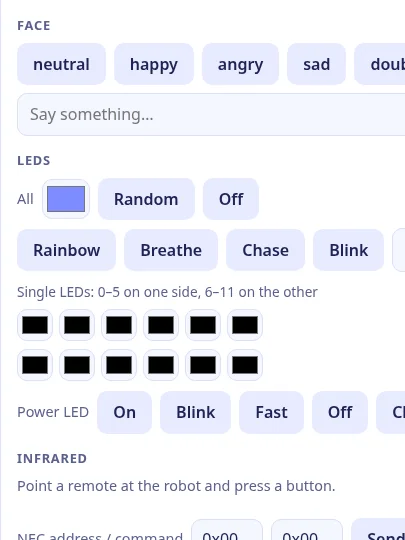
Raw data
Every sensor and command: see through its camera, hear it, talk through it, move its head, set its face and LEDs, read IR remotes and NFC tags. With end to end encryption on, only paired browsers can read the robot: the server relays ciphertext.
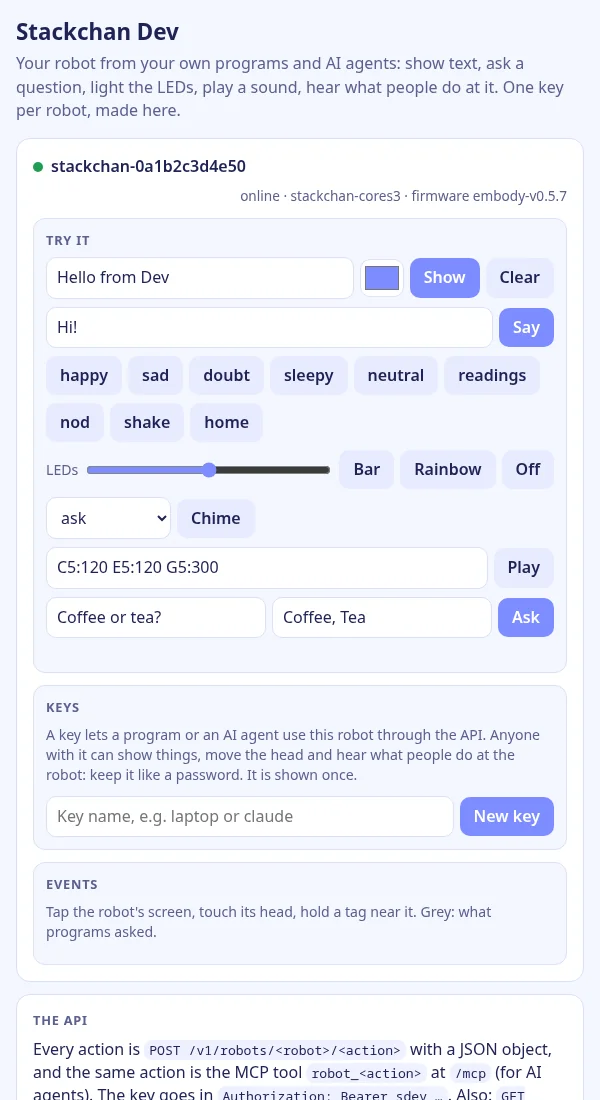
Devnew
Your robot for your own programs and AI agents: show text on its screen, ask a
question and get the button tapped, light the LEDs as a progress bar, play a chime, hear
when someone pats its head. One curl per action, or MCP for Claude Code and
other agents, with a key per robot. And a Go kit for writing new apps.
How it works
The robot runs Embody Mode, an app in its firmware that makes it a light client: it connects out to one app at a time over a WebSocket; nothing connects in to it. Each app gets a token for just that robot, from the manager or one you make yourself. The firmware is built reproducibly: anyone can rebuild a release and get the same bytes. The owner rebuilds each release too and signs its hashes, and you can check both.
Security
We aim for i41 to be secure, but there is a known backlog, and nothing has been independently reviewed or verified yet. The aim: each app gets only the robots you approve it for, what the robot sees and hears can go end to end encrypted, and anyone can check a release.
What to do now: the robot keeps your Wi-Fi password and its app tokens unencrypted in its memory, and so does the firmware backup the setup saves on your computer. Keep both private, and if a robot is lost, change your Wi-Fi password.
Source
- StackChan firmware, Embody Mode: the robot side, reproducible releases with signed hashes. MIT
- i41eu-manager: the home manager: the manager on a computer at home, no sign-in and no cloud. MIT
- q41eu-raw: raw.q41.eu. MIT
- q41eu-pet: pet.q41.eu. MIT
- q41eu-focus: focus.q41.eu. Apache-2.0
- q41eu-dev: dev.q41.eu, the robot for your programs (HTTP) and AI agents (MCP), and a Go kit for apps. Apache-2.0
- q41eu-sbot: a cockpit at home that also drives a micro:bit car. Apache-2.0
- i41eu-assets: the 3D robot on these pages, drawn in Go from M5Stack's StackChan structure files with real screens. Apache-2.0, M5Stack's parts MIT
- i41eu-s3d: s.i41.eu/s3d, the robot in 3D in the browser, its sensors and actuators and what each app does with them. Apache-2.0
All of i41 on GitHub: github.com/i41-eu.